

Laptop Repair vs. Replace Decision Tool
Enter your device details on the left to see if repair is worth it.
--
--
You stare at the cracked screen or the dead battery of your laptop, wondering if you should pay a technician to fix it or just toss it in the e-waste bin and buy a new one. It’s a classic dilemma. The price of new laptops has fluctuated, but so have repair costs. In 2026, with component prices stabilizing post-pandemic, the math isn’t as clear-cut as it used to be.
Here is the hard truth: Laptop repair is often worth it if the device is less than three years old, the damage is localized (like a hinge or port), and the repair cost is under 30% of a comparable new model's price. If you are looking at a five-year-old budget Chromebook with a motherboard failure, walk away. But for many mid-range machines, fixing them saves money and reduces electronic waste.
The 50% Rule and Other Heuristics
There is no single formula that works for every broken machine, but there are reliable rules of thumb. The most common is the "50% Rule." If the repair quote exceeds 50% of the current market value of a similar working laptop, replace it. However, this rule ignores performance degradation. A two-year-old MacBook Air might hold its value well, making a $150 keyboard replacement a bargain compared to a $1,200 replacement. Conversely, a generic Windows laptop loses value fast. A $200 repair on a laptop worth $400 used is a bad investment unless you need that specific data immediately.
Consider the Total Cost of Ownership. When you buy a new laptop, you aren't just paying for hardware. You're paying for setup time, software licenses, and the learning curve of a new operating system version. Repairing preserves your workflow. If you have customized your environment extensively, that "sunk cost" of time adds real value to keeping the old machine alive.
When Repair Makes Financial Sense
Not all breaks are created equal. Some failures are cheap fixes; others are death sentences. Here is how to categorize them:
- Battery Replacement: Almost always worth it. A new battery costs $50-$100 and takes 30 minutes. It can extend a laptop's life by 2-3 years.
- Screen Damage: This depends heavily on the panel type. A standard IPS LCD on a budget Dell might cost $150 to replace. An OLED touchscreen on a premium HP Spectre could hit $400. If the rest of the laptop is solid, the screen is usually worth saving.
- Keyboard and Trackpad: These are modular parts. Swapping them is quick and relatively inexpensive ($80-$150). Unless the laptop is ancient, this is a smart move.
- Hinge Repair: Often involves replacing the entire top lid assembly because the hinges are riveted or glued. Costs range from $150 to $300. Worth it if the chassis is otherwise pristine.
On the flip side, some repairs drain your wallet without adding lifespan. Motherboard repairs involving micro-soldering can cost $200-$400. For a mid-tier laptop, that is half the value of a new unit. And if the GPU (graphics card) fails on a soldered board, you are likely looking at a total loss.
The Environmental and Ethical Angle
We live in Wellington, where sustainability isn't just a buzzword-it's a lifestyle. E-waste is a massive global issue. According to the Global E-waste Monitor, only about 20% of discarded electronics are properly recycled. The rest end up in landfills, leaching heavy metals into the soil.
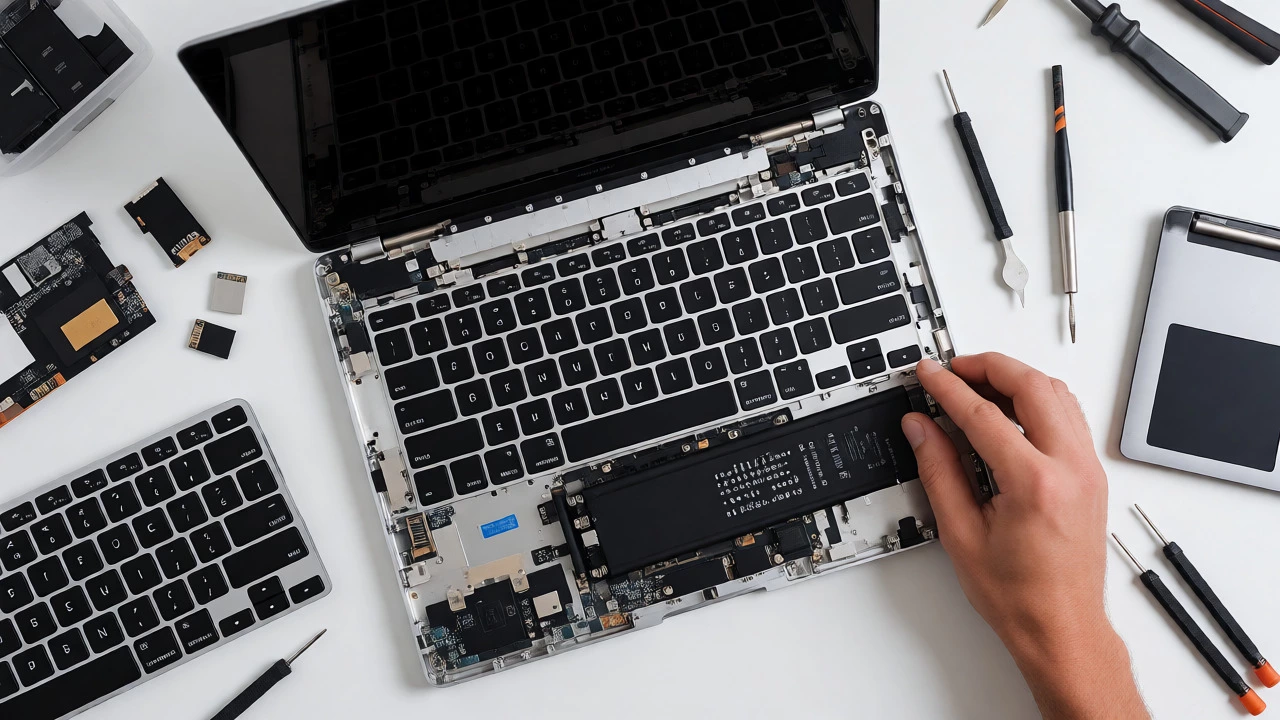
By choosing repair over replacement, you delay the manufacturing footprint of a new device. Producing a single laptop requires approximately 800 kg of fossil fuels and 1,200 liters of water. Extending a laptop's life by even two years through minor repairs significantly cuts down on per-year resource consumption. If you are environmentally conscious, the financial calculation changes. You might accept a slightly higher repair cost to avoid contributing to the landfill mountain.
New vs. Used: The Hidden Option
Before you hand over cash for a repair, consider buying a refurbished unit. The secondary market in 2026 is robust. Platforms like Back Market or local NZ refurbishers offer certified pre-owned laptops with warranties. Sometimes, buying a used high-end model (like a ThinkPad T-series) is cheaper than repairing a mid-range consumer laptop.
| Factor | Repair Current Laptop | Buy New Laptop | Buy Refurbished |
|---|---|---|---|
| Average Cost | $100 - $300 | $800 - $2,000+ | $400 - $900 |
| Time to Use | 1 - 3 days | Immediate (if in stock) | 3 - 7 days |
| Data Transfer | None needed | Required (hours/days) | Required (hours/days) |
| Warranty | 90 days (typical) | 1 year (manufacturer) | 6 - 12 months (seller) |
| Eco Impact | Lowest | Highest | Medium |
Red Flags: When to Say Goodbye
Sometimes, the laptop itself is telling you it’s done. Watch out for these signs that indicate systemic failure rather than an isolated incident:
- Multiple Failures: If you fixed the battery last month and now the fan is dying, the power management system might be failing across the board.
- Obsolete Specs: Does your laptop struggle to run basic web browsers or Office suites? If you have 4GB of RAM and a dual-core processor from 2018, modern software will choke it regardless of repairs. No amount of cleaning helps a lack of horsepower.
- Water Damage: Liquid spills are tricky. Even if a shop cleans it today, corrosion continues silently. A laptop that survived a coffee spill six months ago might die suddenly next week. Treat water-damaged repairs as temporary band-aids, not permanent cures.
- Discontinued Parts: Check availability. If the manufacturer stopped supporting the model five years ago, finding a genuine screen or battery becomes a scavenger hunt. Third-party parts vary wildly in quality.

How to Evaluate a Repair Shop
Not all technicians are equal. In Wellington, you have everything from mall kiosks to specialized independent shops. How do you know who to trust?
Ask for a written estimate before they open the case. Reputable shops charge a diagnostic fee (often waived if you proceed with the repair) and provide a breakdown of parts versus labor. Avoid places that say "we'll see what we find" without a ballpark figure. Also, check if they use original manufacturer components or aftermarket equivalents. For screens and batteries, original parts matter for color accuracy and safety.
Look for certifications. While there is no single global license for laptop repair, technicians certified by CompTIA A+ or those trained by Apple (for MacBooks) demonstrate a baseline of competence. Read recent reviews focusing on turnaround time. A slow repair means you are without your tool for longer, which might force you to rent or buy a backup device, eating into your savings.
The Data Dilemma
If your laptop won't turn on, your priority shifts from "is it worth fixing?" to "can I get my files?" Data recovery services can cost $300-$800 depending on complexity. If the drive is intact but the logic board is fried, a specialist can swap the board or extract the SSD/HDD directly. This is often cheaper than full repair if you don't care about using the laptop again, just getting the photos off it.
However, if the storage drive itself is corrupted, recovery gets expensive. Always ask: "Is the data accessible via USB enclosure?" If yes, you might just need a new cable or adapter, not a full repair.
Is it better to repair or replace a 5-year-old laptop?
Generally, replace it. Five-year-old laptops often suffer from thermal paste degradation, battery aging, and slower processors that struggle with modern software. Unless it is a high-end workstation model with upgradeable RAM/SSD, the performance gain from a new entry-level laptop will likely outweigh the cost of a major repair.
Do warranty repairs count towards the 'worth it' calculation?
If your laptop is still under manufacturer warranty, repair is almost always free or low-cost, making it automatically worth it. Once the warranty expires, you bear the full cost. Note that opening the laptop yourself often voids remaining warranty, so stick to authorized service centers during the coverage period.
What is the average cost of a laptop screen replacement in 2026?
Costs vary by brand and panel technology. Standard HD LCD panels typically range from $120 to $200 including labor. High-resolution 4K or OLED touchscreens can cost $300 to $500. Always get quotes from multiple sources, as parts pricing differs between OEM and third-party suppliers.
Can I sell a broken laptop instead of repairing it?
Yes. Broken laptops retain value for their usable parts (RAM, SSD, charger, casing). Selling to a recycler or on platforms like Trade Me often yields 20-30% of the working value. If the repair cost exceeds this resale value plus the hassle of selling, keep or scrap it.
Does upgrading RAM or SSD make an old laptop worth keeping?
Yes, this is often the best bang-for-buck upgrade. Moving from an HDD to an SSD makes older laptops feel nearly new. Adding more RAM helps with multitasking. If these upgrades cost under $100 and solve your performance issues, it is far more cost-effective than a new purchase.
Making Your Final Call
So, are laptops worth repairing? For most people with devices under four years old, yes. The combination of rising new-device prices and environmental awareness tips the scale toward maintenance. Run the numbers: compare the repair quote against 50% of a new equivalent's price. Check for red flags like water damage or obsolete specs. And remember, sometimes the most valuable part of your laptop is the data on it-protect that first, then decide on the hardware.