
Keep or Replace? Laptop Decision Tool
Enter your ten-year-old laptop's condition and estimated repair costs to get a data-backed recommendation for 2026.
Fill in the details on the left and click "Get My Recommendation".
Your ten-year-old laptop is still booting up. It opens your email, plays YouTube videos, and runs that one spreadsheet you refuse to migrate to the cloud. But when it takes forty-five seconds to load a webpage or the battery dies after twenty minutes, you start wondering: is this machine just tired, or has it hit its natural limit? In 2026, the answer isn't as simple as "buy new." It depends on what you actually use it for, how much you've already invested in repairs, and whether the cost of fixing it makes sense compared to buying something entry-level today.
Let's cut through the noise. A decade-old device operates under different rules than a three-year-old one. The components have degraded, software support has likely ended, and repair parts are harder to find. However, for specific tasks, these machines can still be incredibly useful if you know where the line is between "fixable" and "obsolete."
The Hardware Reality Check
First, look at the physical state of the Laptop a portable computer with integrated screen, keyboard, and battery.. If the chassis is cracked, the hinge is loose, or the fan sounds like a jet engine, you're dealing with cumulative wear. Mechanical failure is usually the first sign that a machine is nearing the end of its road. Unlike software issues, which can often be fixed with a reset, mechanical damage is permanent.
Consider the processor. Most laptops from around 2015-2016 were built with Intel 6th or 7th generation chips or AMD equivalents. These processors are no longer powerful enough to handle modern web browsing efficiently because websites have become heavier. They rely heavily on JavaScript and complex CSS, which strains older CPUs. If your browser tabs crash or freeze constantly, it’s not just bad luck; it’s a hardware limitation. Upgrading to a solid-state drive (SSD) can help significantly, but it won’t make a 2016 CPU feel like a 2026 chip.
Battery health is another critical factor. Lithium-ion batteries degrade over time. After ten years, most original batteries retain less than 40% of their capacity. If you’re always plugged in, this doesn’t matter. But if you need portability, replacing the battery might cost $80-$120. Is that worth it? Only if the rest of the system is robust. If the motherboard is also failing, spending money on a battery is throwing good money after bad.
Software Support and Security Risks
This is the biggest invisible cost. Windows 10 reached its end of life in October 2025. That means no more security updates from Microsoft unless you pay for an Extended Security Update subscription. For a home user who only browses safe sites, this risk is manageable. But for anyone handling bank details, work emails, or sensitive documents, running an unsupported OS is risky.
You have two main options here:
- Switch to Linux: Many older laptops run beautifully on lightweight distributions like Linux Mint or Ubuntu. These systems don’t require heavy resources and continue to receive security patches for years. If you’re comfortable with a learning curve, this extends the life of your hardware by five or more years.
- Buy a New Device: If you rely on specific Windows-only software (like certain accounting tools or CAD programs), staying on Windows without updates is dangerous. In this case, the lack of security patches is a strong argument for replacement.
Also consider browser compatibility. Chrome and Firefox drop support for older operating systems regularly. You might find yourself stuck using outdated browsers that no longer get security fixes, compounding the risk mentioned above.
When Repair Makes Financial Sense
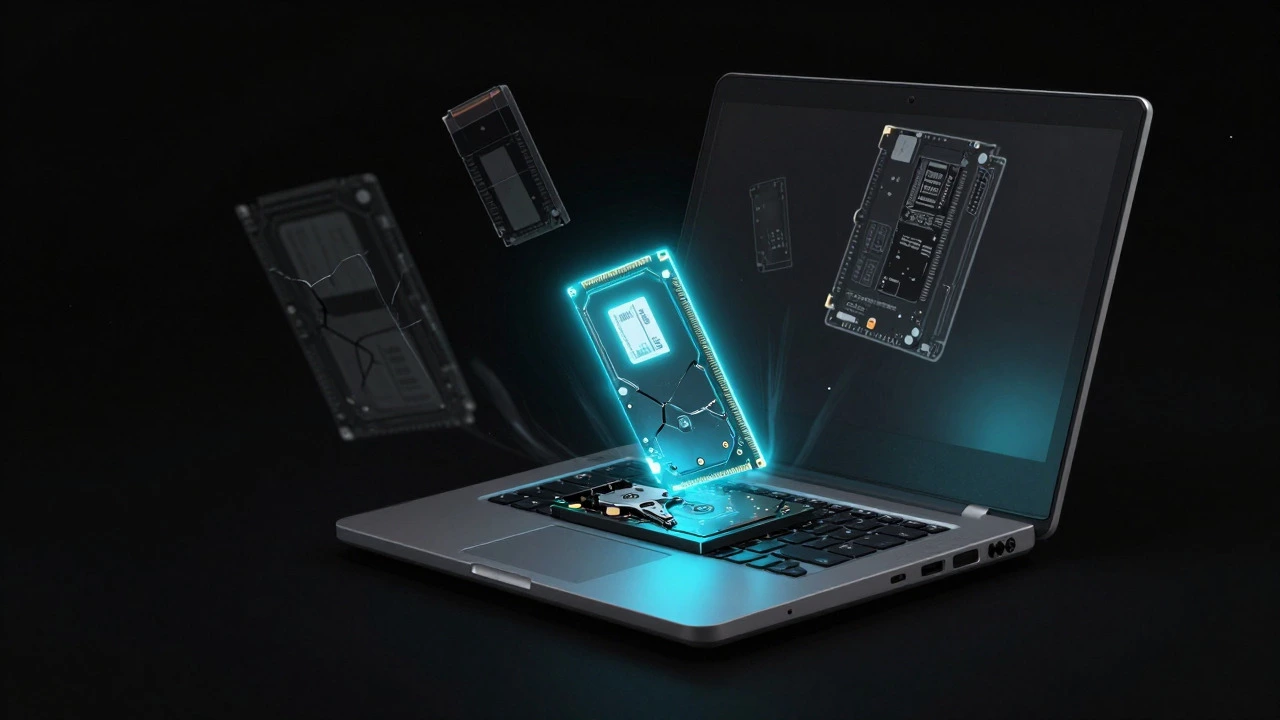
There is a simple rule of thumb used by technicians: the 50% Rule. If the cost of repair exceeds 50% of the price of a comparable new device, it’s usually better to buy new. But this rule needs adjustment for older tech. Since a ten-year-old laptop has zero resale value, the comparison should be against the cheapest reliable new laptop available today.
In 2026, entry-level laptops with decent performance start around $400-$500. So, if a repair costs more than $200-$250, think twice. Here’s a breakdown of common repairs and their typical costs:
| Repair Type | Average Cost (USD) | Worth It? |
|---|---|---|
| SSD Upgrade (256GB) | $40-$60 | Yes, huge performance boost | RAM Upgrade (to 8GB/16GB) | $30-$50 | Yes, if slots are accessible | Battery Replacement | $80-$120 | Only if other components are healthy | Screen Replacement | $150-$250 | Rarely, due to high cost | Motherboard Replacement | $200+ | No, almost never |
Notice the pattern. Software-based improvements (SSD, RAM) are cheap and effective. Hardware replacements (screen, motherboard) are expensive and rarely justify keeping a decade-old unit. If your laptop needs a new screen, ask yourself: would I rather spend $200 on a broken old laptop or put that toward a new device that comes with a warranty?
The Data Migration Factor
Often, the reason people keep old laptops isn’t performance-it’s data. Photos, documents, and files are stored locally. Moving them to a new device can feel daunting. But this is easily solved. Use an external hard drive or USB stick to back up everything before deciding. Once your data is safe, the emotional attachment to the old machine fades. You’ll realize that the laptop was just a container, not the content itself.
If you decide to keep the old laptop, consider repurposing it. Instead of using it as your primary daily driver, turn it into a dedicated media player, a home server for file storage, or a secondary monitor via software like Duet Display. This reduces the strain on the aging hardware while giving it a second life.
Decision Framework: Keep or Replace?
To make this decision clear, ask yourself these four questions:
- Do you need portability? If yes, and the battery is dead, the cost of replacement might not be worth it.
- Are you running supported software? If no, and you can’t switch to Linux, the security risk is high.
- What is the estimated repair cost? If it’s over $200, compare it to a new budget laptop.
- How long do you want to keep it? If you plan to use it for another 2-3 years, minor upgrades (SSD/RAM) are worthwhile. If you expect to replace it in 6 months, skip the repairs.
For most users in 2026, a ten-year-old laptop is best kept as a backup or for light, offline tasks. For primary daily use involving web browsing, video calls, and productivity apps, a newer device will offer a smoother, safer experience. The jump in efficiency from a 2016 model to a 2024+ model is significant, especially in battery life and screen quality.
Frequently Asked Questions
Can I upgrade the processor in my 10-year-old laptop?
Usually, no. Most consumer laptops from the last decade have soldered processors. Even if yours has a socketed CPU, finding a compatible upgrade part is difficult and rare. Focus on upgrading RAM and storage instead.
Is it safe to use a laptop without Windows updates?
It depends on your usage. If you only browse trusted sites and avoid downloading unknown files, the risk is low. However, if you use online banking or store sensitive data, the lack of security patches makes you vulnerable to malware. Switching to Linux mitigates this risk significantly.
What is the average lifespan of a laptop?
The average functional lifespan is 3-5 years for business use and 5-7 years for personal use. Beyond that, performance degradation and hardware failures become common. Ten years is considered well beyond the standard lifecycle, so any continued use is a bonus.
Should I sell my old laptop for parts?
Probably not. Ten-year-old models have very little resale value. Unless it’s a rare or high-end model from a premium brand, you’ll likely get less than $50. It’s often better to recycle it through an e-waste program to ensure proper disposal of batteries and screens.
Does an SSD upgrade really make a big difference?
Yes. If your laptop still uses a traditional hard disk drive (HDD), swapping it for an SSD is the single most impactful upgrade you can make. Boot times can drop from 60 seconds to 10 seconds, and app loading speeds improve dramatically. It’s a cheap fix that breathes new life into slow machines.