

Laptop Repair vs. Replace Calculator
Use this tool to apply the "50% Rule" and assess if fixing your current machine is worth it compared to buying a new one.
Current Situation
Enter details above to get a recommendation.
You stare at the screen. Maybe it flickers, maybe the fan sounds like a jet engine taking off in your quiet home office, or perhaps the battery dies before you finish your morning coffee. Your 7-year-old laptop is showing its age. The question isn't just "is it broken?" but "is fixing it worth my money and time?" In 2026, with new models promising AI-integrated processors and all-day battery life, the decision feels heavier than it did five years ago. But don't rush to the electronics store yet. There’s a method to this madness.
The 50% Rule: A Simple Financial Heuristic
Here is the golden rule that most IT professionals use: If the cost of the repair exceeds 50% of the price of a comparable new machine, buy a new one. Sounds simple, right? It gets complicated because "comparable" is subjective. Do you need the latest Intel Core Ultra or AMD Ryzen AI chips? Or do you just need something that opens Chrome without freezing?
Let's break down the math. Suppose your laptop needs a new motherboard replacement costing $350. A basic new laptop today costs around $600-$800. That repair is over 50%. Walk away. But if you only need a $150 SSD upgrade and a $80 battery swap, and your current machine handles your workload fine, you are spending $230 to potentially get two more years of life out of a device that would otherwise sit in a drawer. That’s value.
| Component Failure | Avg. Repair Cost (NZD) | New Entry-Level Laptop Price (NZD) | Worth Fixing? |
|---|---|---|---|
| Battery Replacement | $80 - $150 | $700 | Yes, if other parts work |
| SSD Upgrade (HDD to SSD) | $100 - $180 | $700 | Yes, massive speed boost |
| Screen Replacement | $200 - $400 | $700 | Depends on panel quality |
| Motherboard/CPU Failure | $300 - $500+ | $700 | No, usually not |
| Keyboard/Trackpad | $100 - $200 | $700 | Yes, if cosmetic issues only |
Performance Reality Check: Can It Still Do the Job?
Money matters, but utility matters more. Ask yourself: What do I actually do on this computer? If you are a student writing essays, checking emails, and streaming Netflix, a 7-year-old Intel Core i5 (8th Gen) or AMD Ryzen 3 is still perfectly capable. These processors were efficient enough to handle modern web standards reasonably well, especially if you have an Solid State Drive (SSD).
However, if you edit video, run heavy Excel macros, or play games, that same chip is now a bottleneck. Newer laptops offer significant jumps in single-core performance and integrated graphics power. For example, moving from an older UHD Graphics 620 to a modern Radeon 780M integrated GPU can mean the difference between watching a slideshow and actually playing a game. If your workflow requires speed, no amount of cleaning dust will make your old CPU faster.
The Hidden Costs of Keeping Old Tech Alive
We often forget the non-monetary costs. Security is huge. Older operating systems might lose support sooner. While Windows 10 has extended support into late 2025, many 7-year-old machines struggle with the resource demands of newer security patches and browser updates. You might find your browser using 2GB of RAM just to open ten tabs. That frustration adds up.
Then there is reliability. A 7-year-old laptop likely has components nearing their end-of-life curve. Capacitors degrade, hinges loosen, and thermal paste dries out. Even if you fix the screen today, the keyboard might fail next month. Are you prepared to become a serial repairer? If you rely on this laptop for work, downtime is expensive. A new laptop comes with a warranty; a repaired old one does not.
When You Absolutely Should Fix It
There are specific scenarios where keeping the old beast alive makes perfect sense:
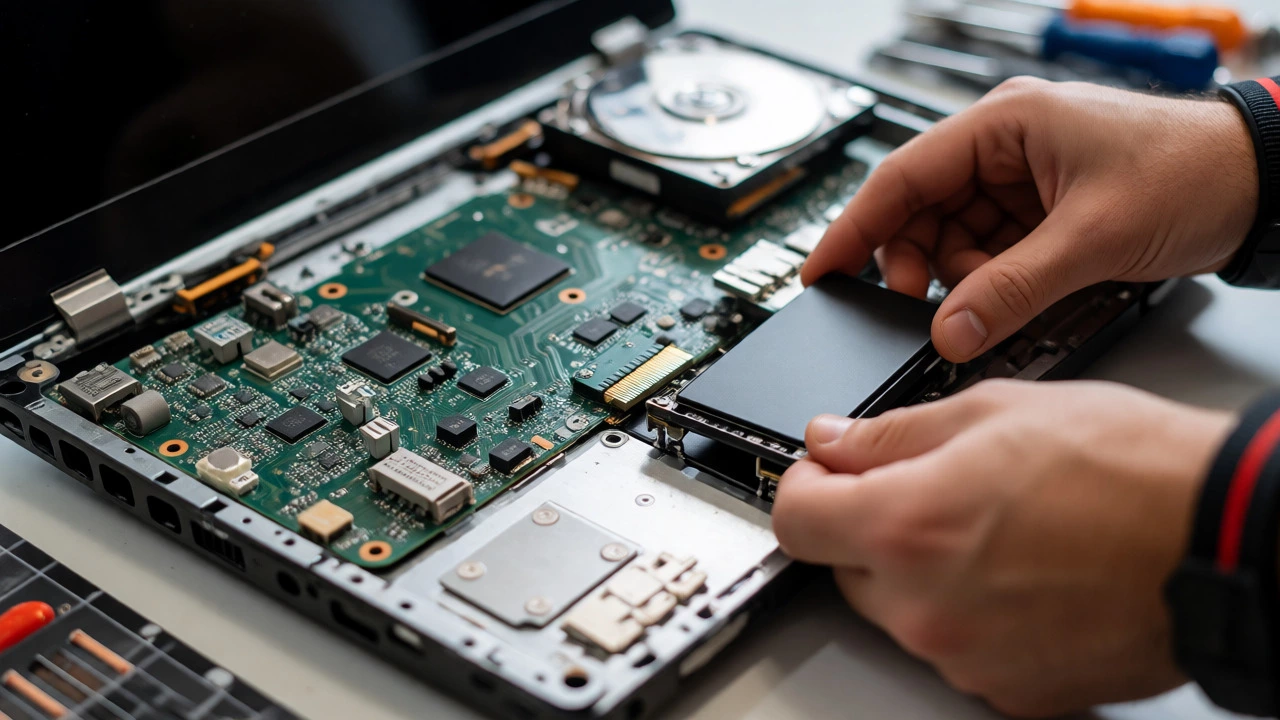
- The "SSD Magic" Factor: If your laptop still uses a mechanical Hard Disk Drive (HDD), swapping it for an SSD is the single best upgrade you can make. It makes the computer feel twice as fast instantly. This is often cheaper than a new laptop and extends usability by years.
- Niche Peripherals: Does your laptop have a rare port you love? Some older models had VGA ports, Ethernet jacks, or optical drives that are gone from modern ultrabooks. If you hate dongles, keep the old one.
- Build Quality: Business-class laptops like the Lenovo ThinkPad T-series or Dell Latitude from seven years ago were built like tanks. They often outlast consumer-grade plastic shells. If yours is sturdy, it deserves a second chance.
- Data Recovery: Sometimes you aren't fixing it for daily use, but to extract photos or documents before recycling it properly.
Signs It’s Time to Let Go
Conversely, here are red flags that signal the end of the road:
- Battery Swelling: If your trackpad is popping up or the case is bulging, stop using it immediately. Lithium-ion batteries swell when they degrade. This is a fire hazard, not just an inconvenience.
- Incompatible RAM: Some ultra-thin laptops from that era soldered the RAM to the board. If you have 4GB and need 8GB, you can’t upgrade it. You’re stuck.
- Driver Hell: If you can’t find drivers for your Wi-Fi card or audio controller on the manufacturer’s website anymore, you’ll face constant bugs.
- The "Fan Noise" Test: If the fans run at full speed even when idle, the thermal management system has failed. Cleaning helps temporarily, but if the heatsink is corroded, it’s game over.

Environmental Impact: E-Waste Matters
Living in Wellington, we care about sustainability. Manufacturing a new laptop produces significantly more carbon emissions than repairing an old one. Studies suggest that extending a laptop's life by just one year reduces its annual environmental footprint by roughly 30%. So, if the repair is minor-like a battery or SSD-the eco-friendly choice is almost always to fix it. Only throw it away if the energy required to run an inefficient old machine outweighs the production cost of a new, energy-efficient model. For most users, the embodied energy in the existing hardware wins.
DIY vs. Professional Repair: Who Fixes It?
If you decide to fix it, who does the work? Modern laptops are glued shut. Opening a 7-year-old Dell XPS or MacBook Air requires heat guns and suction cups. If you aren't comfortable prying open delicate plastics, pay a pro. In New Zealand, independent repair shops often charge less than authorized service centers. Get a quote first. If the labor estimate is close to the part cost, ask if they can source refurbished parts to lower the bill.
For simple fixes, DIY is viable. Replacing a battery or SSD is often a 15-minute job with a screwdriver and a YouTube tutorial. Sites like iFixit provide step-by-step guides for specific models. Just be careful with ribbon cables-they tear easily.
The Verdict: A Decision Tree
Still unsure? Follow this quick path:
- Is the damage physical (cracked screen/case)? If yes, and the cost is >$200, consider replacing unless it's a premium build.
- Is it slow? Try an SSD upgrade first. If it becomes usable, keep it.
- Does it overheat/shut down? Clean the fans. If it persists, the motherboard is dying. Replace.
- Do you need better performance for work? If yes, replace. No repair fixes architecture limitations.
- Is the total repair cost under $150? Fix it. It’s cheap insurance against e-waste.
Ultimately, a 7-year-old laptop is like an old car. It might not win races, but if it starts every morning and gets you to work safely, why trade it in? Just know when the maintenance bills start exceeding the vehicle's value.
How long should a 7-year-old laptop last?
With proper maintenance, a high-quality business laptop can last 8-10 years. Consumer-grade laptops typically last 4-6 years. At 7 years, you are past the average lifespan, so expect component failures like battery degradation or hinge stress.
Is it worth upgrading RAM on an old laptop?
Only if your laptop supports it and you currently have 4GB or less. Upgrading to 8GB or 16GB can significantly improve multitasking. However, if the RAM is soldered to the motherboard, you cannot upgrade it, making the investment impossible.
Can I still use Windows 10 on a 7-year-old laptop in 2026?
Yes, but mainstream support ended in October 2025. You may need Extended Security Updates (ESU) or switch to Linux for continued security patches. Ensure your hardware meets the minimum specs for any OS updates you apply.
What is the most common failure in old laptops?
Battery failure is the most common issue, followed by overheating due to dried thermal paste and dust-clogged fans. These are relatively inexpensive to fix compared to motherboard or screen replacements.
Should I sell my old laptop before buying a new one?
If it still works, yes. Trade-in values drop sharply after 5 years, but you can still recoup some cash on platforms like Facebook Marketplace or local recyclers. If it doesn't boot, sell it for parts to cover shipping costs.